The Kitchen Should Adapt to the Rush — Not the Other Way Around
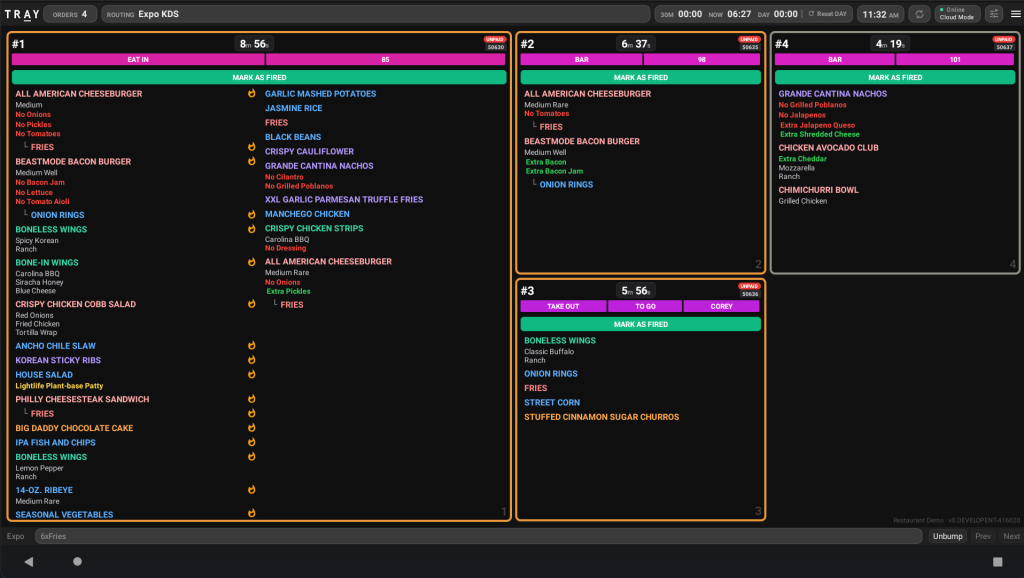
A kitchen display system should do more than replace paper tickets with pixels. During a rush, the kitchen is constantly changing: order volume rises, stations get unevenly loaded, large checks need more attention, modifiers become easier to miss, and expo needs a clear view of what is actually ready.
That is the thinking behind TRAY’s modern KDS experience. Instead of forcing every restaurant, station and daypart into the same screen, the KDS is designed to give operators more control over what they see, how work is routed and how the kitchen responds as conditions change.
See What Matters First
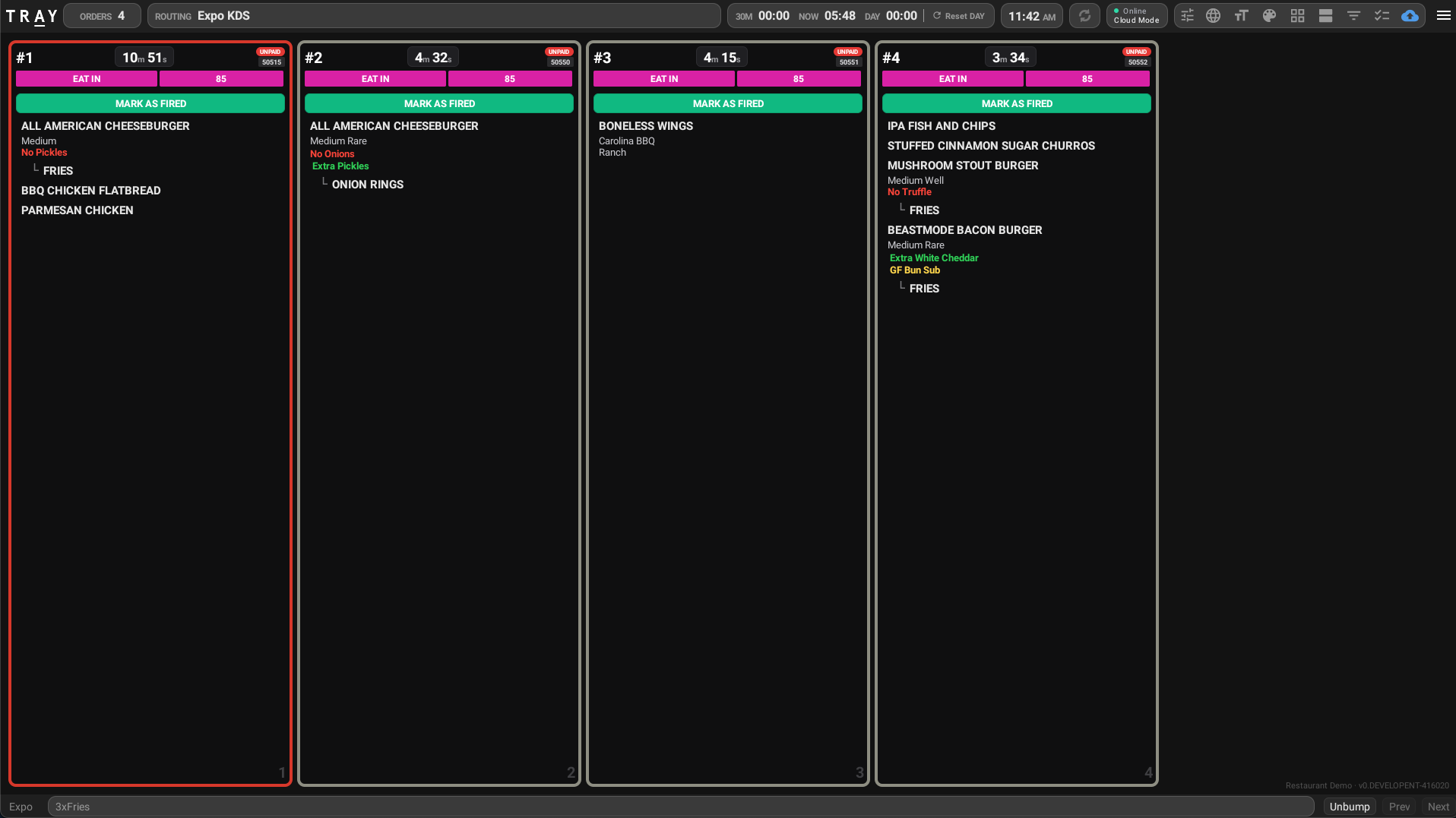
Kitchen screens carry a lot of information, but not every detail deserves equal visual weight. TRAY’s KDS gives restaurants more ways to make the important things stand out.
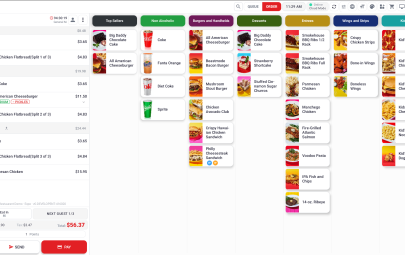
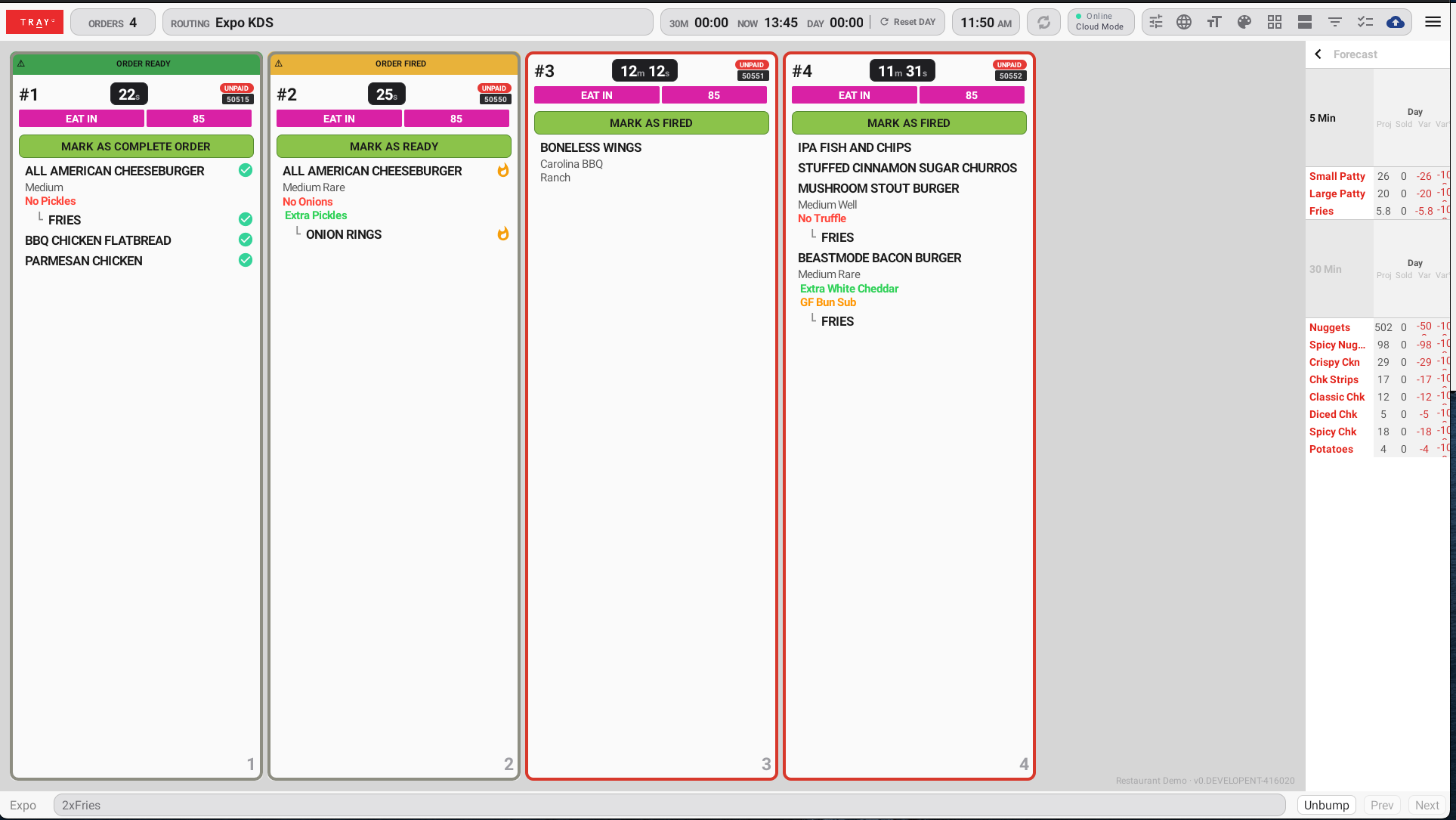
Order cards can surface paid and unpaid status, highlight specific products or modifier words, emphasize quantities, show edited-item states and clean up voided items so the screen stays focused on what the kitchen still needs to act on. Large orders can wrap across multiple cells instead of becoming a single hard-to-read wall of text. Restaurants can also use light or dark card configurations based on the environment and the equipment in the kitchen.
The result is not simply a different visual design. It is a display that can be tuned around the information that matters to a particular operation.
The Kitchen Is a Workflow, Not a Screen
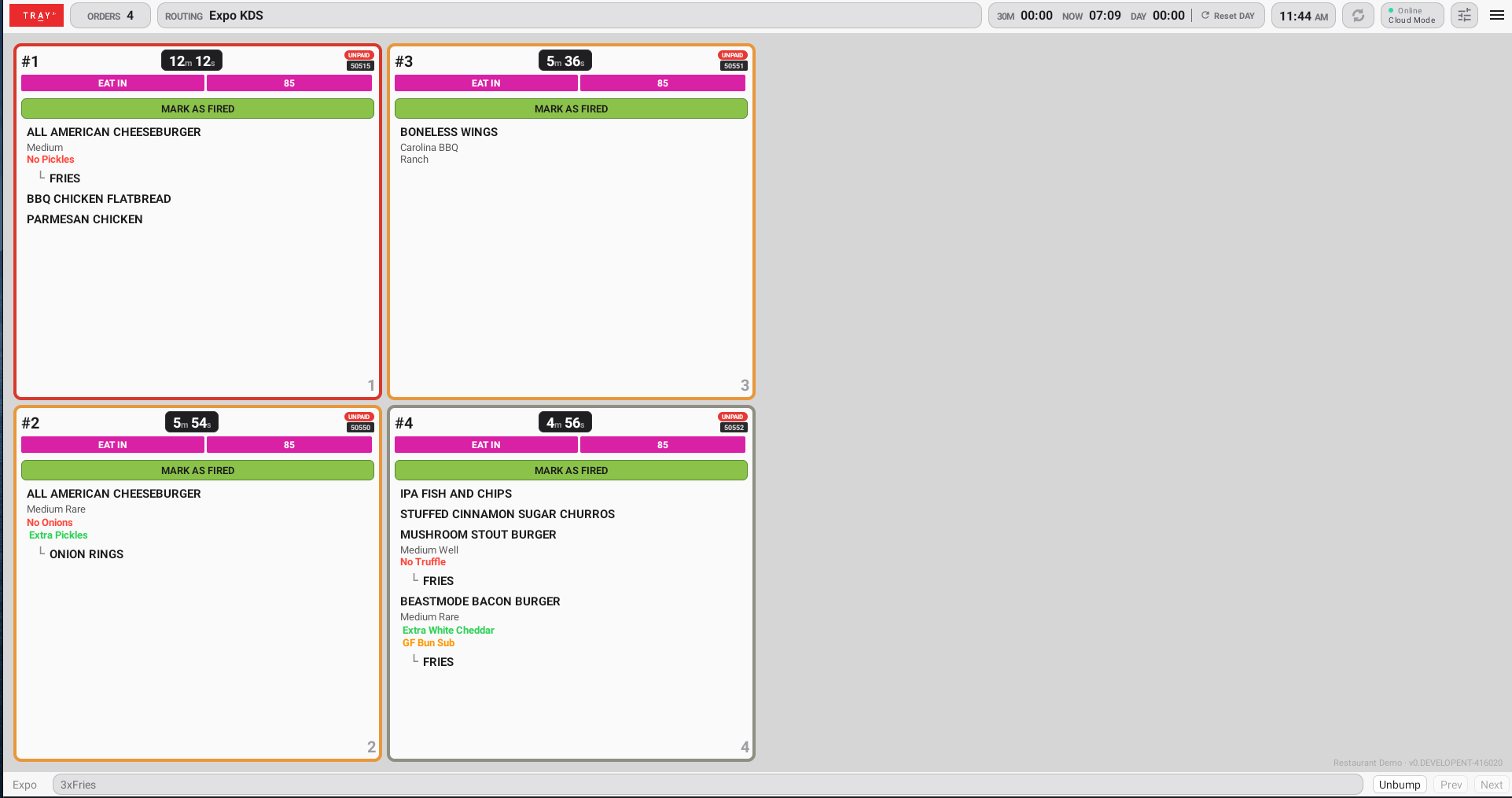
Different kitchen roles need different views. Expo may need the full picture. A production station may only need the items routed to that line. A high-volume environment may need more orders visible at once, while another operation may prioritize larger cards and more detail.
TRAY supports configurable KDS layouts including expo, extended expo, line, grid and wrap-style views. Cells can be organized by check or order, and display behavior can be configured around the way a restaurant actually prepares and fulfills food.
That flexibility matters because the most effective kitchen layout is rarely universal. The right view depends on the station, service model, menu and volume.
Route Work Where It Needs to Go
The display is only part of the KDS equation. Behind it, routing determines which items appear where and how work moves through the kitchen.
TRAY supports advanced order- and item-level routing, along with control at both the enterprise and site level. Products can be associated with routing categories and pushed down centrally while still allowing appropriate store-level overrides. Restaurants can also load balance work across multiple lines and dynamically reroute where needed.
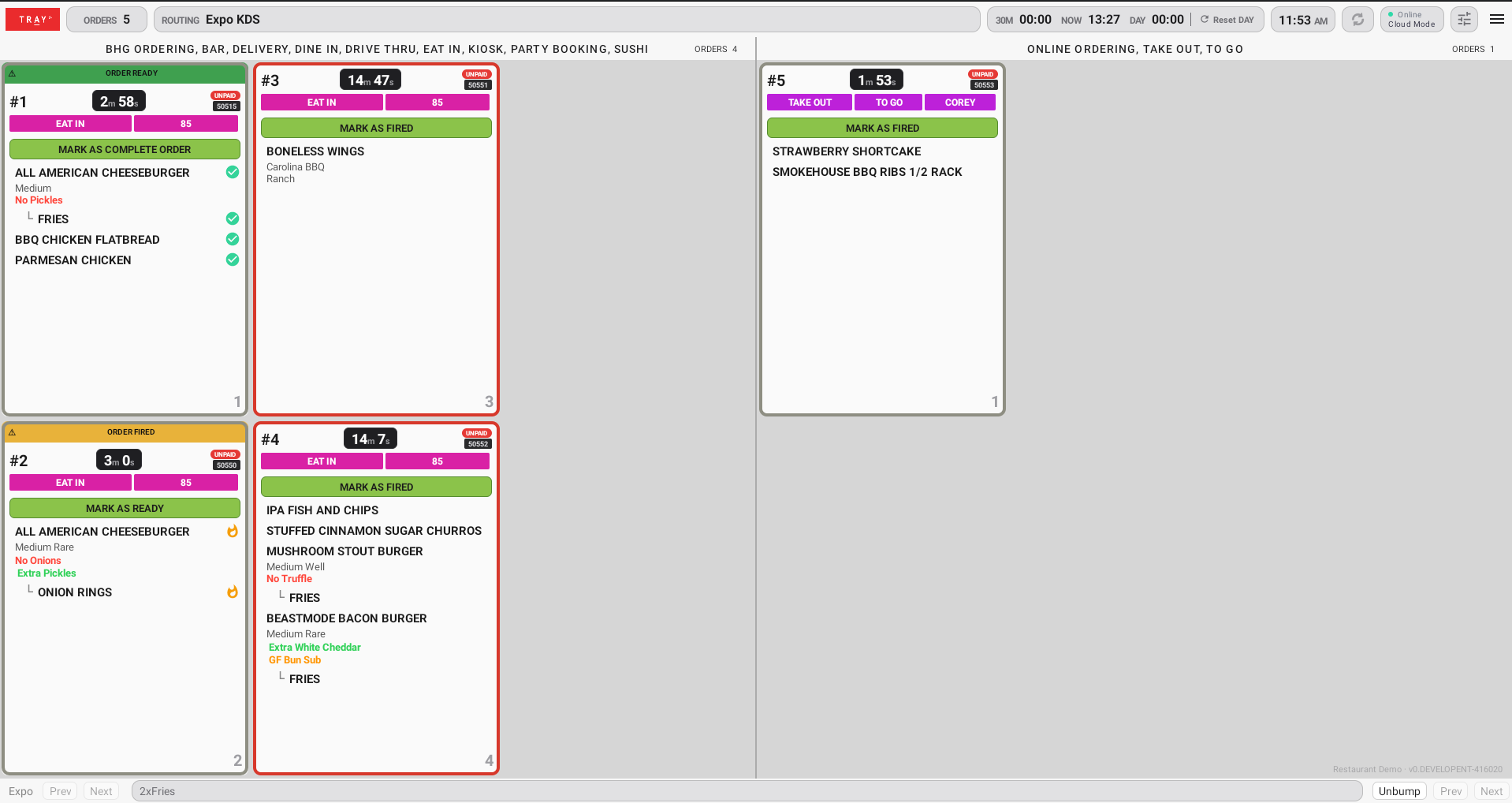
For items that need to appear on more than one station, independent bumping allows each station to progress its own work while expo maintains visibility into the overall state of the order. An item is not treated as complete at the coordination point until all required stations have finished their part.
Give the Kitchen More Context Before It Falls Behind
A KDS becomes much more useful when it helps the team understand what is coming, not just what has already arrived.
TRAY supports forecasting views that can be configured into the KDS experience, including placement options designed to keep forecast information visible without overwhelming the active production screen. Product counters can provide another quick way to understand demand across the line.
Combined with order timers, optional item timers and kitchen status visibility, that additional context gives managers and production teams a clearer picture of workload and pacing.
More Control Without More Complexity
Kitchen technology is often configurable in theory but difficult to operate in practice. The goal with Modern KDS is the opposite: give restaurant teams meaningful control without requiring them to redesign their workflow around the software.
That includes practical capabilities such as configurable order details, station identification, combo handling, undo and un-bump support, modifier highlighting, routing controls and display preferences. It also means keeping the same core experience available across a wide range of supported hardware and screen sizes.
And because restaurant operations do not stop when connectivity changes, key KDS workflows are designed to continue in local operation as well, including operational indicators such as paid and unpaid status.
Built for a Kitchen That Changes by the Minute
The rush is not static. Neither should the kitchen system be.
A modern KDS should help each station focus on the work that matters, give expo a reliable view of progress, make important exceptions obvious and provide enough flexibility for the restaurant to configure the system around its operation—not the other way around.
That is the direction behind TRAY’s Modern KDS: a kitchen platform built not just to display orders, but to help restaurants manage how those orders move from fire to fulfillment.
Talk to the TRAY team to see Modern KDS in action and explore how the experience can be configured for your restaurant operation.
Categories: